Trading Guide
This guide will walk you through the process of starting your first DCA (Dollar-Cost Averaging) trade on Super DCA.
What is DCA Trading?
Dollar-Cost Averaging (DCA) is an investment strategy where you invest a fixed amount of money at regular intervals, regardless of the asset's price. This approach helps reduce the impact of volatility and removes the stress of trying to time the market.
With Super DCA, your investments stream continuously using Superfluid technology. Instead of buying once per month, your USDC flows second-by-second into your chosen asset, providing true continuous dollar-cost averaging.
Benefits of Using Super DCA
- Automated execution - no need to manually trigger trades
- Efficient dollar-cost averaging with Superfluid streams
- Earn 0.50% rewards on trades (paid bi-weekly)
- Update or stop anytime with no lock-up period
- Low gas costs on Optimism Layer 2
Prerequisites
Before you start trading, make sure you have:
- A Web3 wallet (MetaMask, Coinbase Wallet, WalletConnect, etc.)
- USDC on Optimism network
- A small amount of ETH for gas fees (typically less than 0.50 USDC per transaction)
Step-by-Step Guide
1. Connect Your Wallet to Optimism
First, you need to connect your Web3 wallet to Super DCA on the Optimism network. Visit the Dashboard to get started.
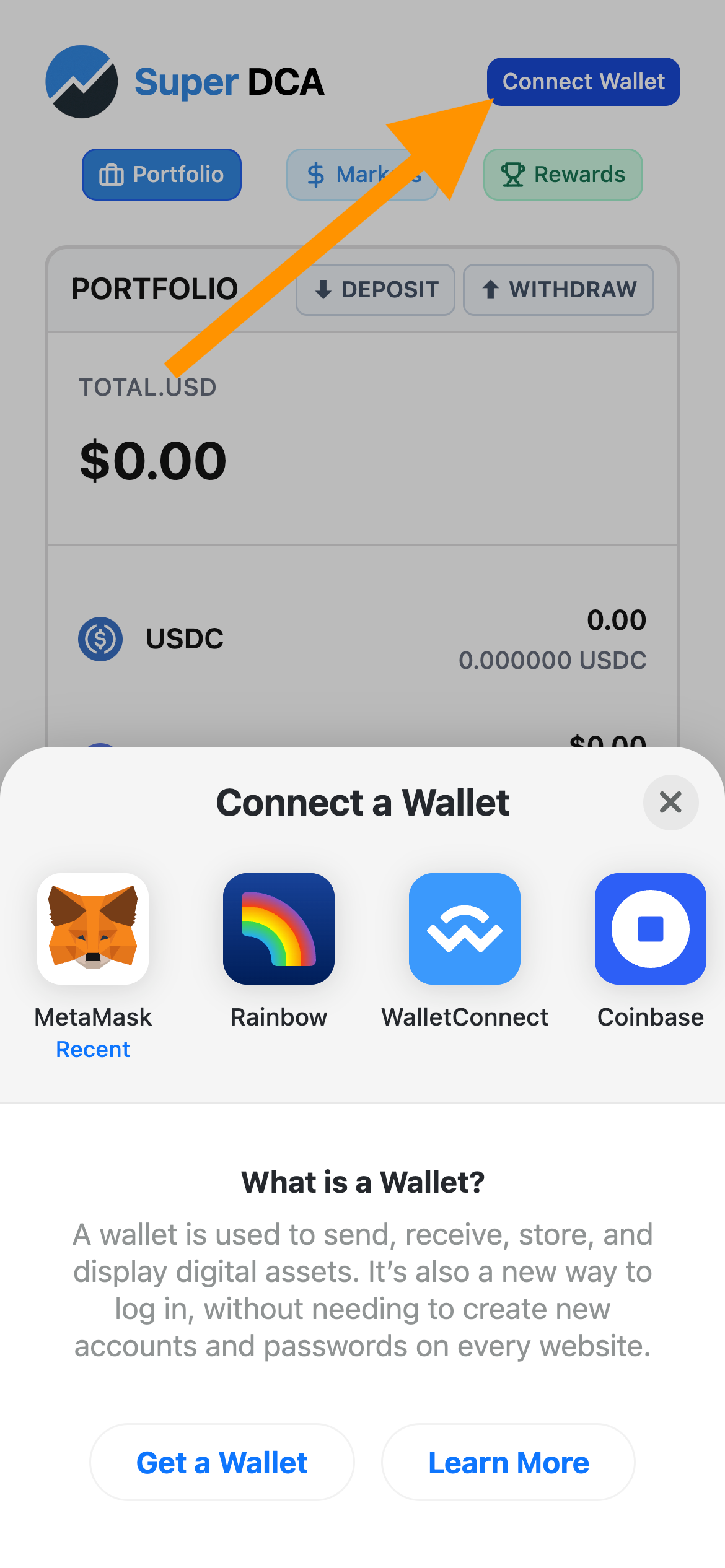
Click "Connect Wallet" in the top-right corner to get started
- Click the "Connect Wallet" button in the top-right corner of the navigation bar
- Select your wallet provider from the list (MetaMask, Coinbase Wallet, WalletConnect, etc.)
- Approve the connection request in your wallet
- Your wallet address should now appear in the navigation bar
- If you're not on Optimism, you'll see a network prompt - click the network selector and choose Optimism
- Approve the network switch in your wallet if prompted
Note
Super DCA is built on Optimism. Make sure you have USDC on Optimism. If you need to bridge USDC, we recommend using Across for fast and low-cost bridging.
2. Wrap USDC to Super USDC
Super DCA uses Superfluid's streaming technology, which requires you to upgrade your USDC to Super USDC (USDCx). This is a simple 1:1 wrap that you can reverse anytime.
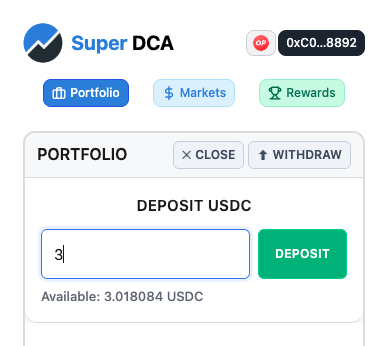
Enter the amount of USDC to wrap and click "Wrap"
- On the Dashboard, find the Wallet section at the top
- You'll see your USDC and Super USDC balances
- Enter the amount of USDC you want to deposit (e.g., 100 USDC)
- Approve the transaction in your wallet
- Wait for the transaction to confirm (usually 1-2 seconds on Optimism)
Tip
Wrap more than you plan to invest initially to avoid frequent wrapping. For example, if you want to invest 10 USDC/month, consider wrapping 100-200 USDC to cover several months.
3. Activate Market and Set Rate
Select which token you want to dollar-cost average into and set how much USDC you want to invest per month. Super DCA supports ETH, WBTC, and other major tokens.
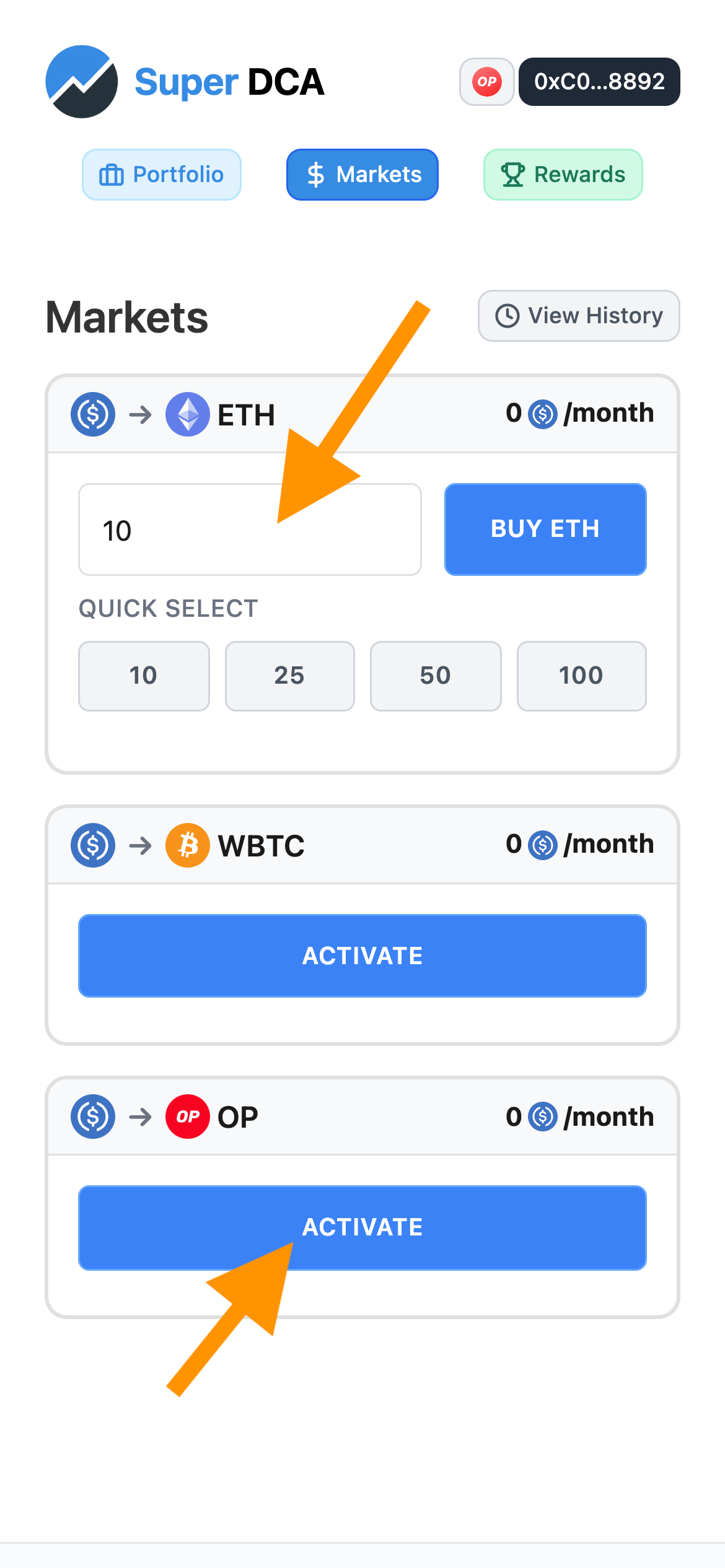
Choose a market and enter your monthly investment amount
- On the Dashboard, scroll down to the Markets section or visit the Markets page
- Review the available markets (ETH/USDC, WBTC/USDC, etc.)
- Click on the market you want to trade (e.g., ETH for Ethereum)
- Click Activate and approve the activation transaction
- Approve the transaction in your wallet
- In the monthly rate input field, enter your desired monthly investment amount (e.g., 10 for 10 USDC/month)
- Click "Buy ETH" (or the respective token) to start your DCA
Example
If you enter 10 USDC/month, trades will be executed automatically over the month to purchase approximately 10 USDC worth of ETH, achieving dollar-cost averaging without manual intervention.
4. Monitor Your Position
Once your stream is active, you can monitor your position and see how much you've accumulated.
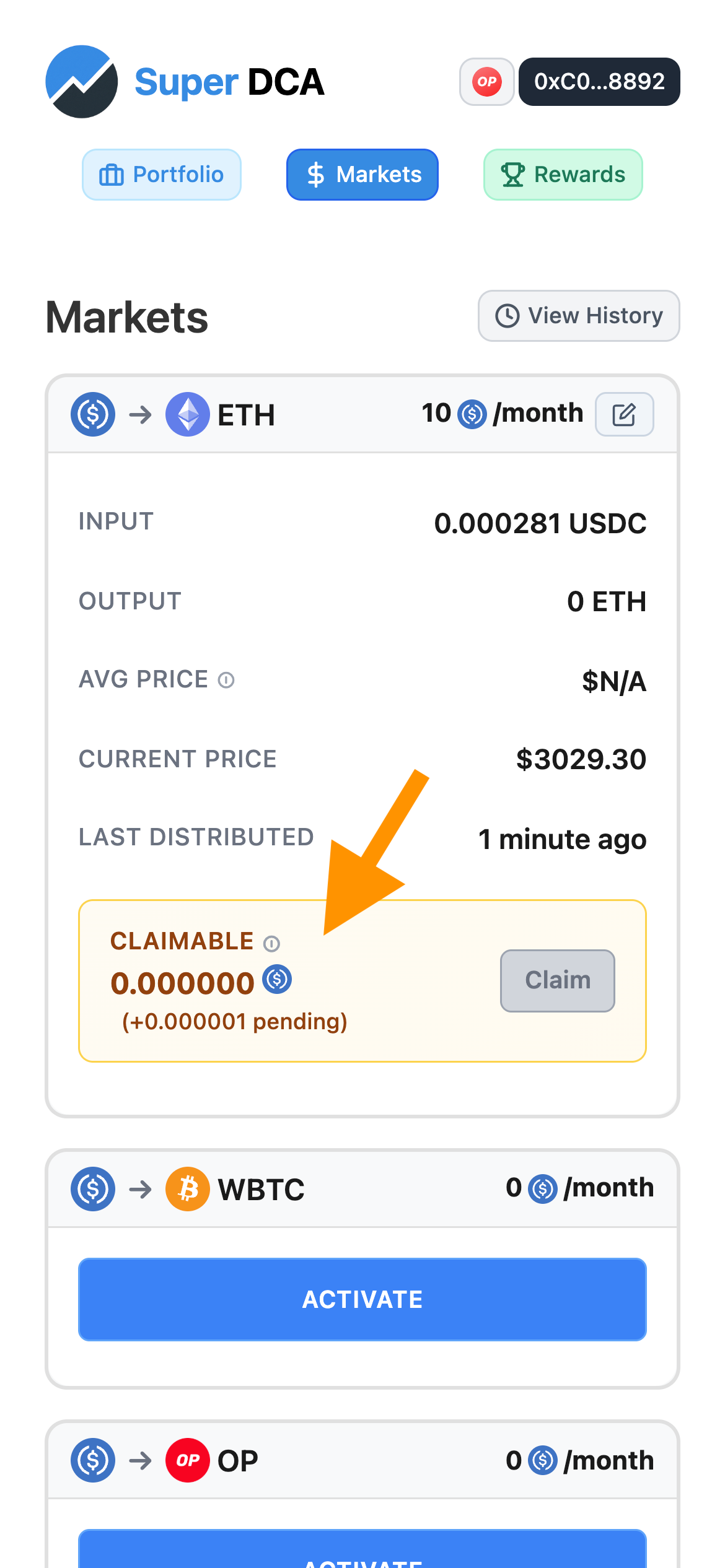
View your active trades and accumulated tokens in the DCA Overview
In your Dashboard, you'll see:
- Your active DCA positions
- Total amount invested (in USDC)
- Total tokens accumulated (e.g., ETH received)
- Average purchase price
- Current streaming rate
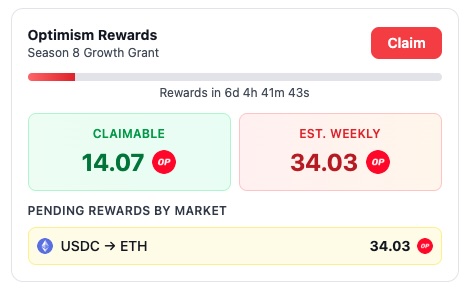
Earn OP rewards through the Season 8 Growth Grant
Claim Your Rewards
As you trade, you earn both 0.5% USDC protocol rewards and OP tokens from the Season 8 Growth Grant. Visit the Rewards page to track and claim your earnings.
Managing Your Trades
Updating Your Flow Rate
You can change your investment rate at any time without stopping your stream.
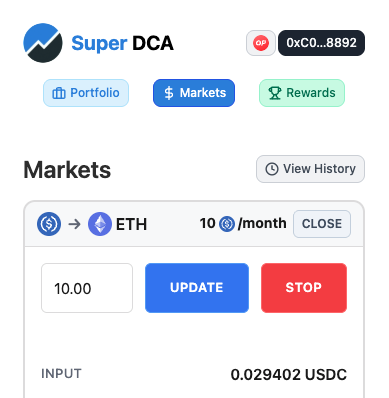
Click "Update" to modify your investment rate
- Find your active trade in the DCA Overview section
- Click the "Update" or edit button next to the trade
- Enter your new monthly rate
- Confirm the transaction in your wallet
- Your stream will immediately adjust to the new rate
Stopping a Trade
You can stop your DCA stream at any time. Your accumulated tokens remain in your wallet.
- Find your active trade in the DCA Overview section
- Click the "Stop" or close button
- Confirm the transaction in your wallet
- Your stream will stop immediately
- Your accumulated tokens remain in your wallet
- Any remaining Super USDC can be unwrapped back to regular USDC
Tips for Success
Keep Enough Super USDC Balance
Your stream will automatically stop if you run out of Super USDC. Make sure to maintain a buffer to keep your DCA running smoothly.
Monitor Your Positions Regularly
Check your Dashboard weekly to review your average purchase prices and accumulated amounts. This helps you stay informed about your investment performance.
Consider Gas Costs for Small Amounts
While gas costs are low on Optimism, they can add up for very small investment amounts. We recommend a minimum of 10 USDC/month to make the strategy worthwhile.
Earn Rewards by Trading Consistently
Keep your streams active for the full two-week reward period to earn the 0.50% reward on all USDC spent. Rewards are paid bi-weekly to active traders.
Ready to Start?
Now that you know how to trade on Super DCA, start your first DCA stream!